Jina Wu
Let’s talk
Cisco · Cloud and Virtualization Network Management

Modernizing cloud network management for scale

I led a complete overhaul of the design system for Cisco’s cloud network management products, helping teams build consistent, scalable tools for network operators doing complex, mission-critical work. When Cisco Marketing launched a new brand, I carried its look and feel into the network management tools, so the products finally felt like part of the same Cisco.

Outcome A fully functional design system delivered in 10 months: 60+ components, new visualizations, font icon sets and page templates that product engineering teams could adopt easily. Company-wide adoption grew 3×.
Timeline
Aug 2017 – Aug 20181 year
Role
Visual Design Manager
Team
7x Visual designers 3x Interaction designers 1x Engineering manager 5x Engineering leads 1x PM 1x Marketing team lead 3x UX team leads
Impact
Boosting sales prospects by 35%

Problem: Fragmented UI, poor performance, outdated design, and brand inconsistency

In 2017, the UX and UI team was tasked with revamping the Cloud Network Management platform to be modern, scalable, and aligned with the new brand. An agency was hired to create a new design guide, but it failed, costing us a quarter of progress and shortening our timeline.
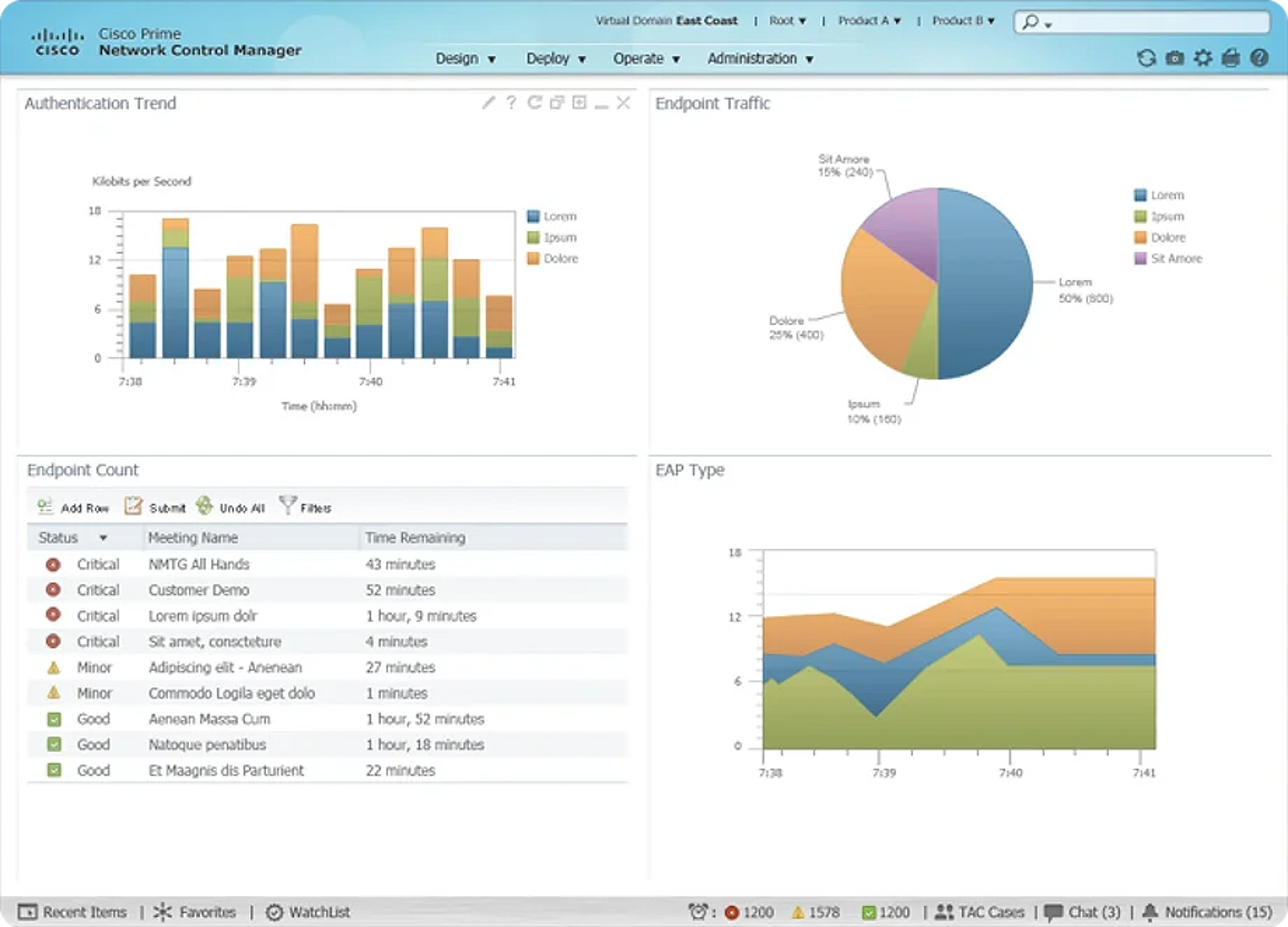

Old Cisco Prime Network Control Manager dashboard
Old glossy icons in mixed styles: Communication, Computing, Software, Passwords, Network Connectivity
Dated and off-brandOutdated look, muted palette, not compliant with the corporate brand.
Visually noisyToo many icons, and chart colors that confused users.
Cramped and hard to navigateNavigation didn’t scale, content had little room, and it was touch-hostile.
Inconsistent and slowPages built differently, poor performance, messy CSS.

Design goals: Four principles, weighted by effort

After internal feedback, UX and engineering teams defined key requirements and goals together.

01 ModernizeAlign the UI with the corporate brand using a minimal, flat style that still supports network management use cases.
02 OptimizeReduce and standardize icons, and implement a fully CSS-driven UI.
03 SimplifyReduce visual noise and optimize layout, organization, and navigation.
04 ConvergeAlign and unify high-level design elements across the company.

First iteration: Building the system 2014

Design style guide

Charts and visualizations, design principles, and a full Prime UX style guide gave every team one source of truth.

Loading style guide…
Prime UX Style Guide, v3.0 · Flips automatically; hover to pause.{{ gPage }} / {{ gTotal }}

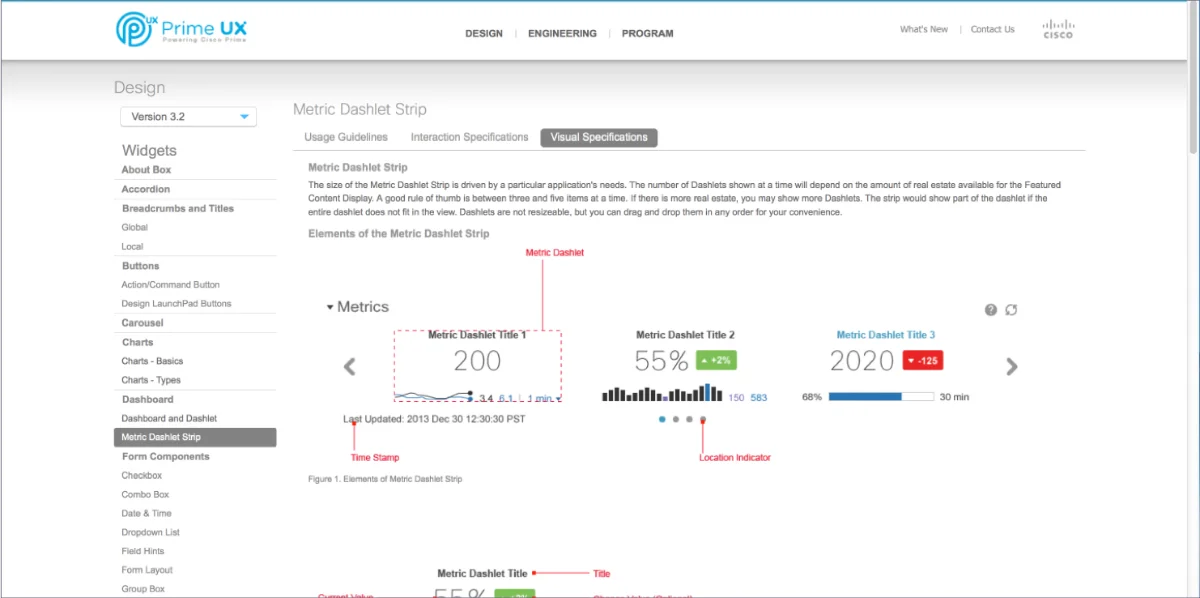
Design standards site

A dedicated site documented and shared the standards, with usage guidelines, interaction specs, and visual specs for every widget.
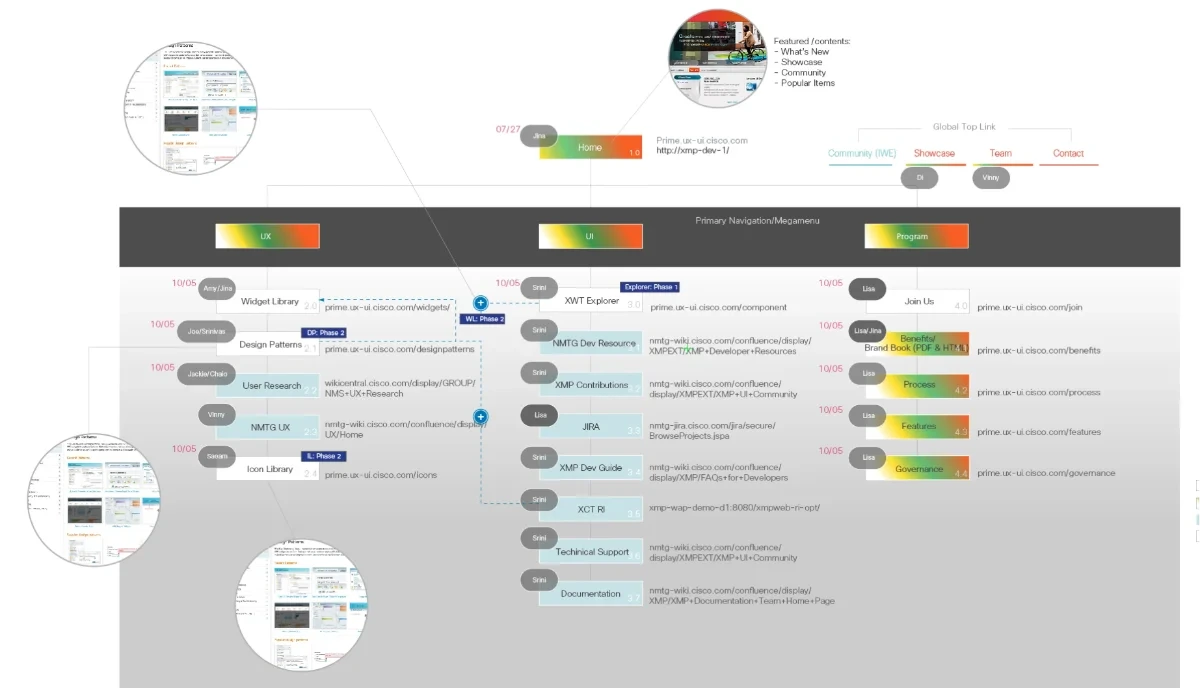
Site planning map
Site planning map
Standards site
Standards site

Final design

The system as it shipped in Cisco Prime: real product screens built from the new components, font icons, and data visualizations I redesigned with developers.

Implementation

Delivered in 12 months

Streamlined icon stylesReduced 5 icon styles to 2, improving performance and reducing costs.
Standard page templates4 templates to drive adoption, keep pages consistent, and cut QA effort.
Component library60+ components, including 6 advanced visualizations.
Brand alignmentEvery design followed the corporate branding guidelines.
Design style guideGuidelines for external teams to stay consistent.
Standards siteA dedicated site to document and share design standards.

Second iteration: Adapting to a new brand in 2015

Overcoming resource challenges with an agency

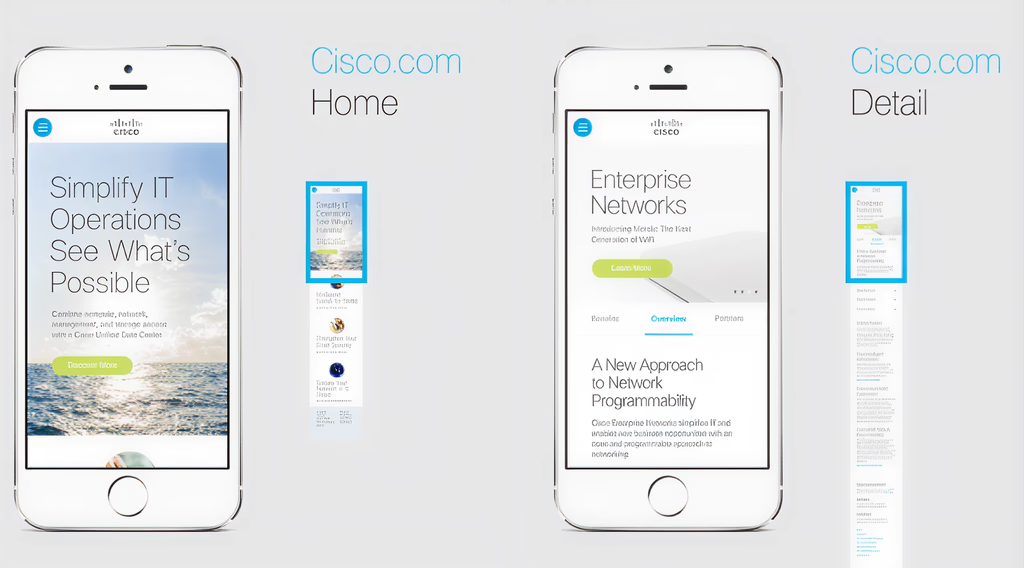
Two years later, Marketing introduced a new design language. With internal resources tied up, I chose the agency behind the Cisco brand. They were more expensive, but their familiarity made onboarding easy.

As the team was short on bandwidth, I worked with an agency to delivered the style guide within a quarter. The marketing-focused brand lacked detail for complex network use cases, like overly large spacing, so weekly meetings kept us iterating and delivered on schedule.
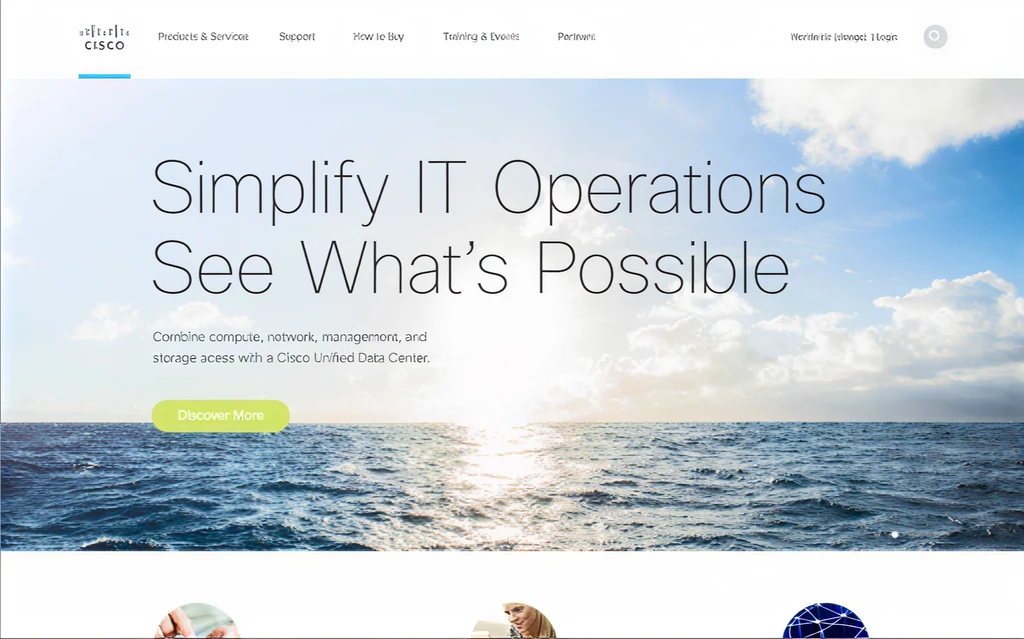
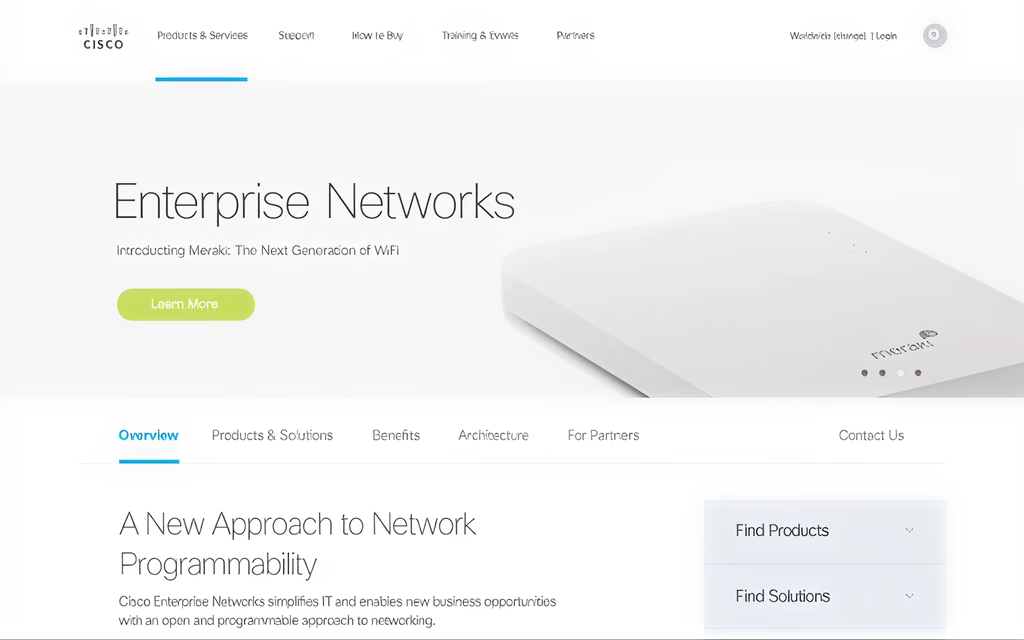
Cisco.com home page in the new marketing brandCisco.com Enterprise Networks detail pageCisco.com home and detail pages on mobile
Corporate brand initiative

Aligning design across Cisco

The marketing guide was made for websites: big type, generous spacing, few elements per page. Application screens packed with tables, charts, and alerts need the opposite, and the guide didn’t cover them. To fill that gap, I brought Cisco’s product design teams and corporate Marketing together to define compact standards for application UI, so dense tools stayed readable and still felt like Cisco.

Final design
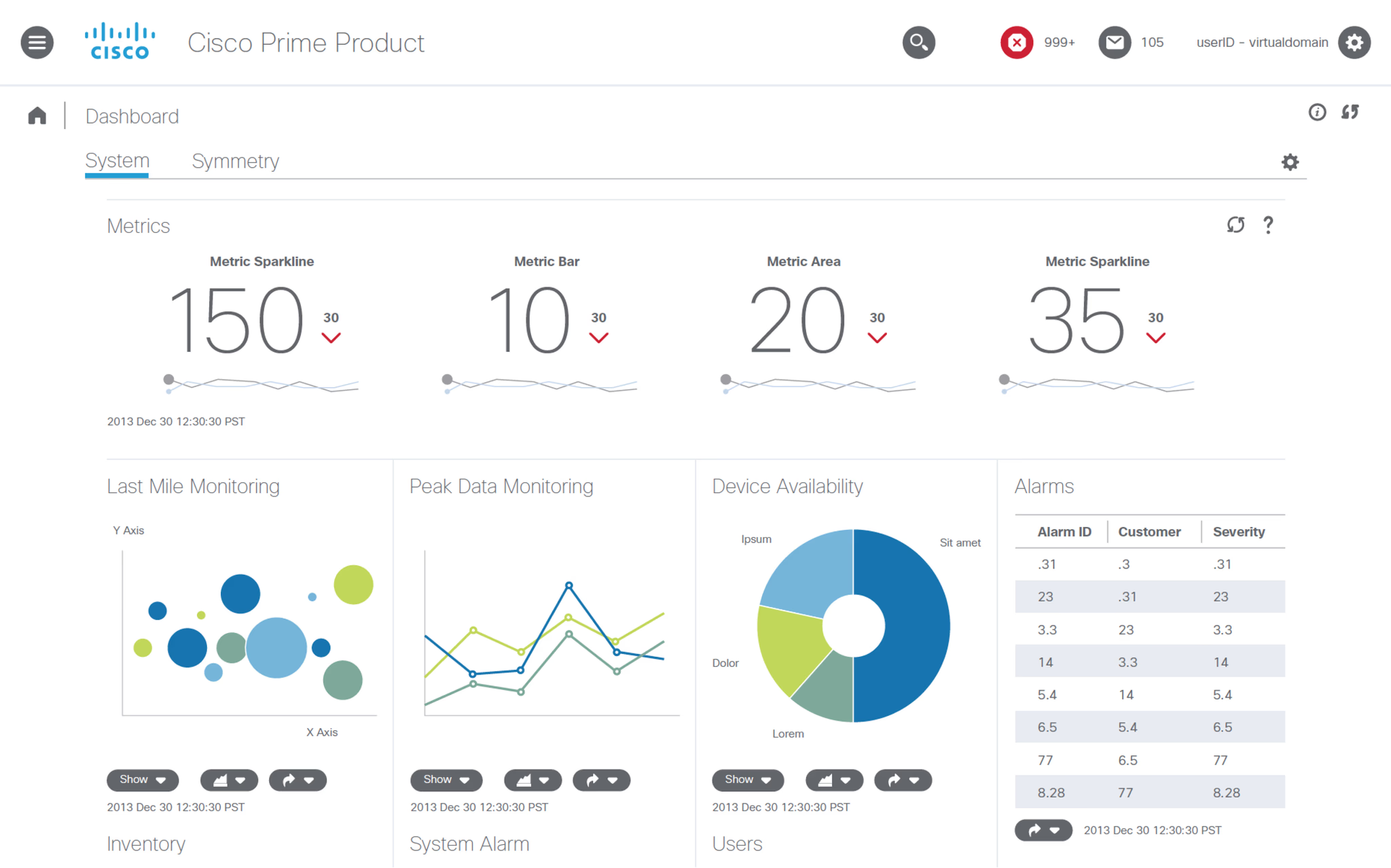
Prime dashboard with metrics, charts and alarms
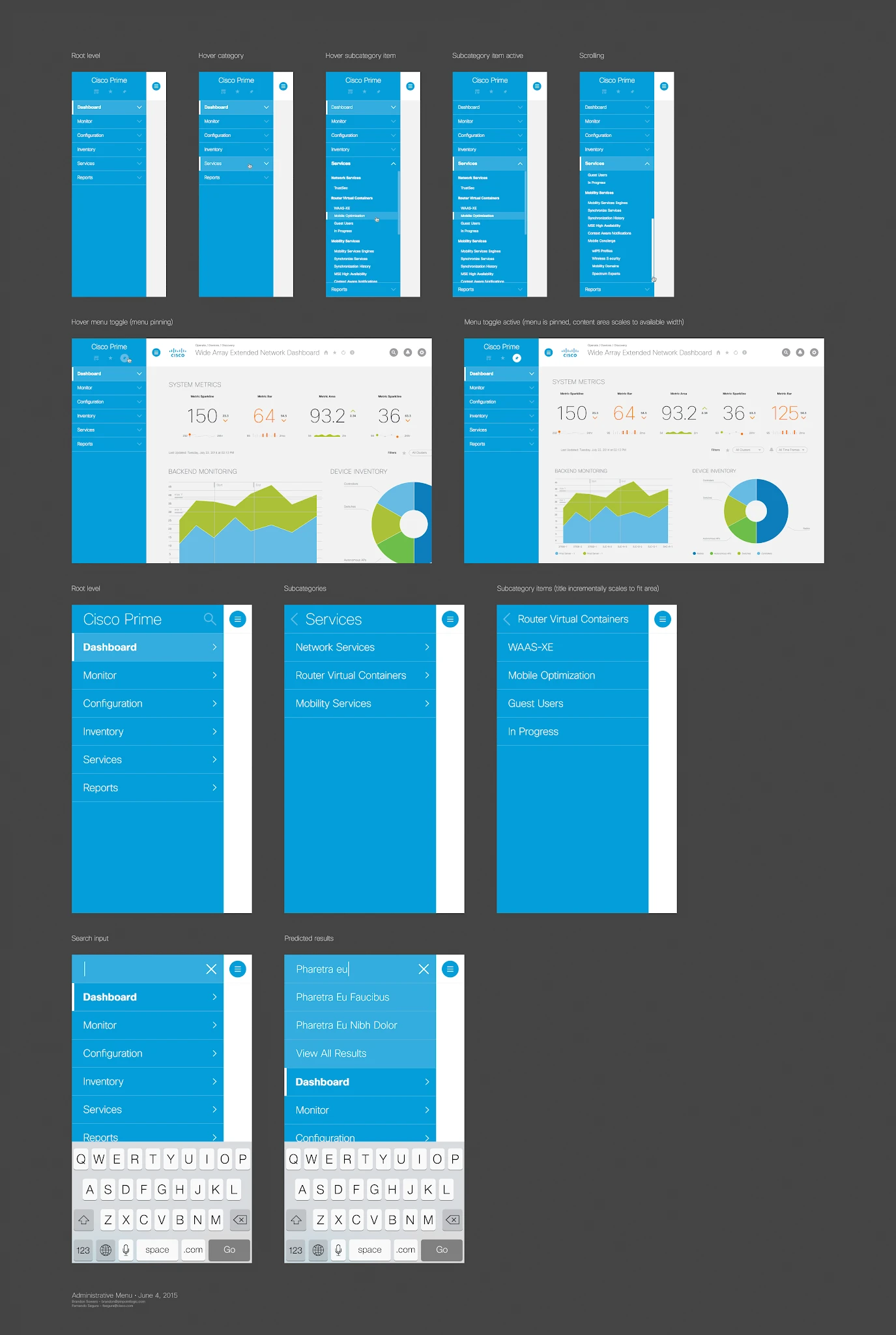
Administrative menu states
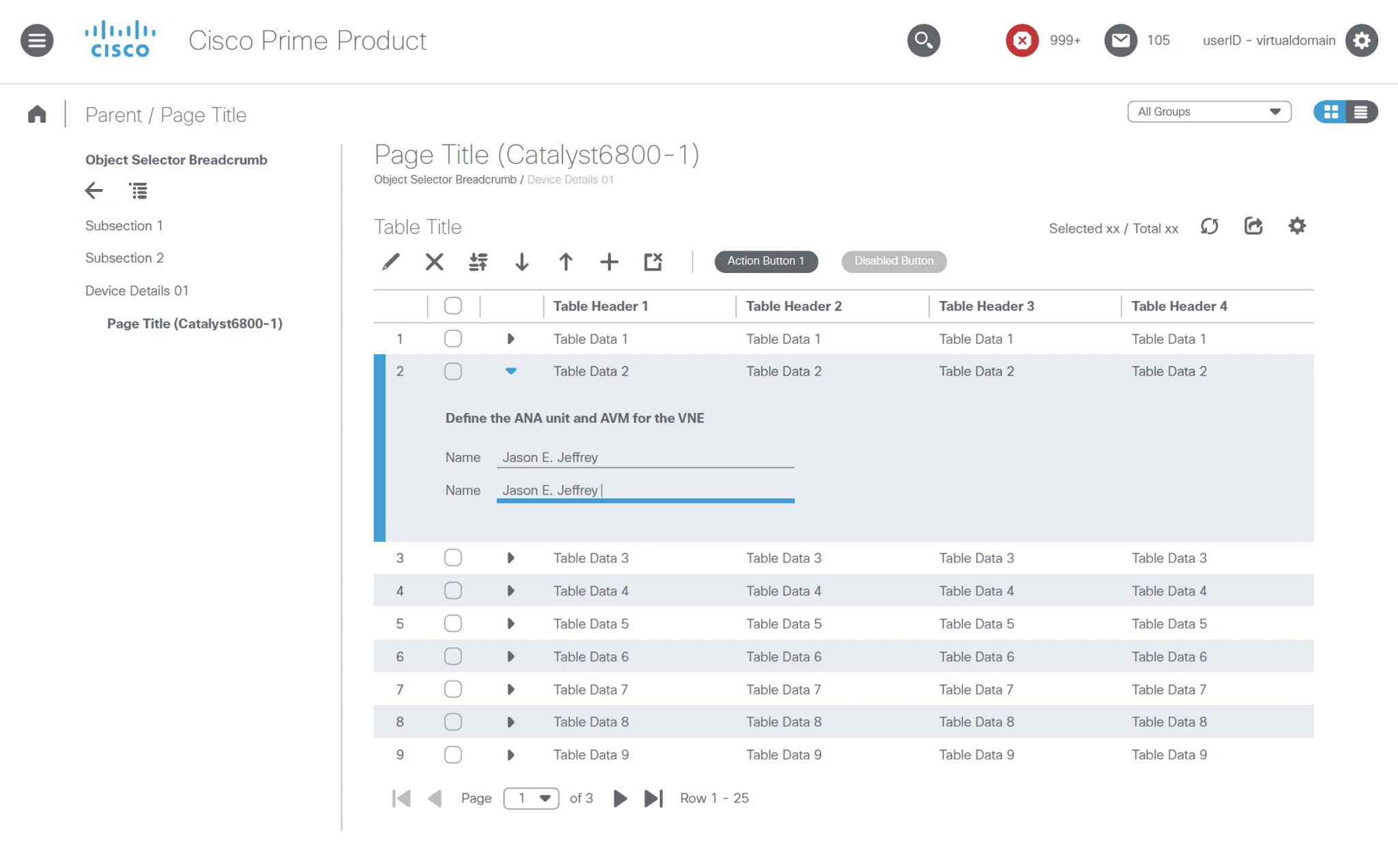
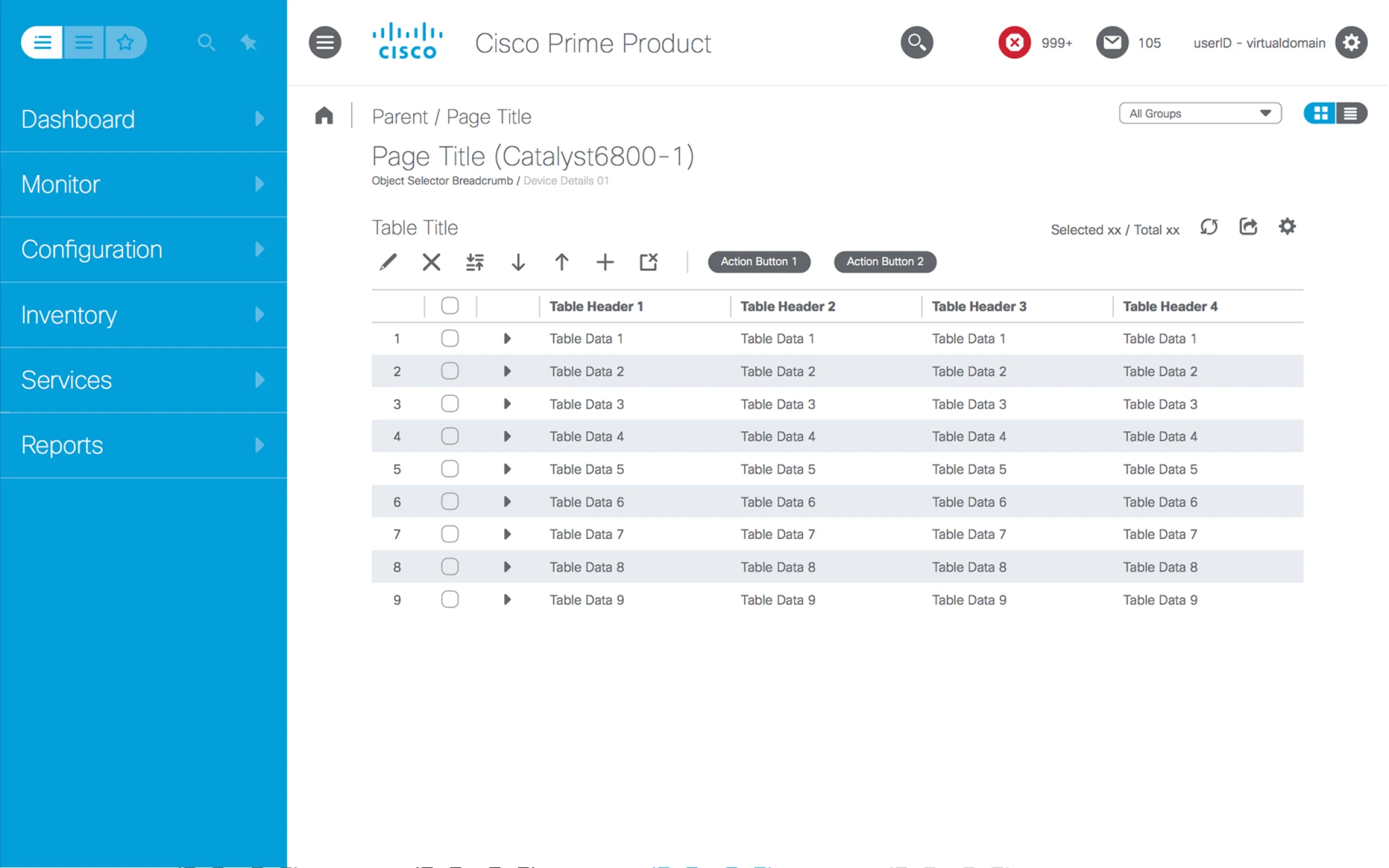
Device table with an expanded inline edit rowDevice table with the navigation menu pinned open
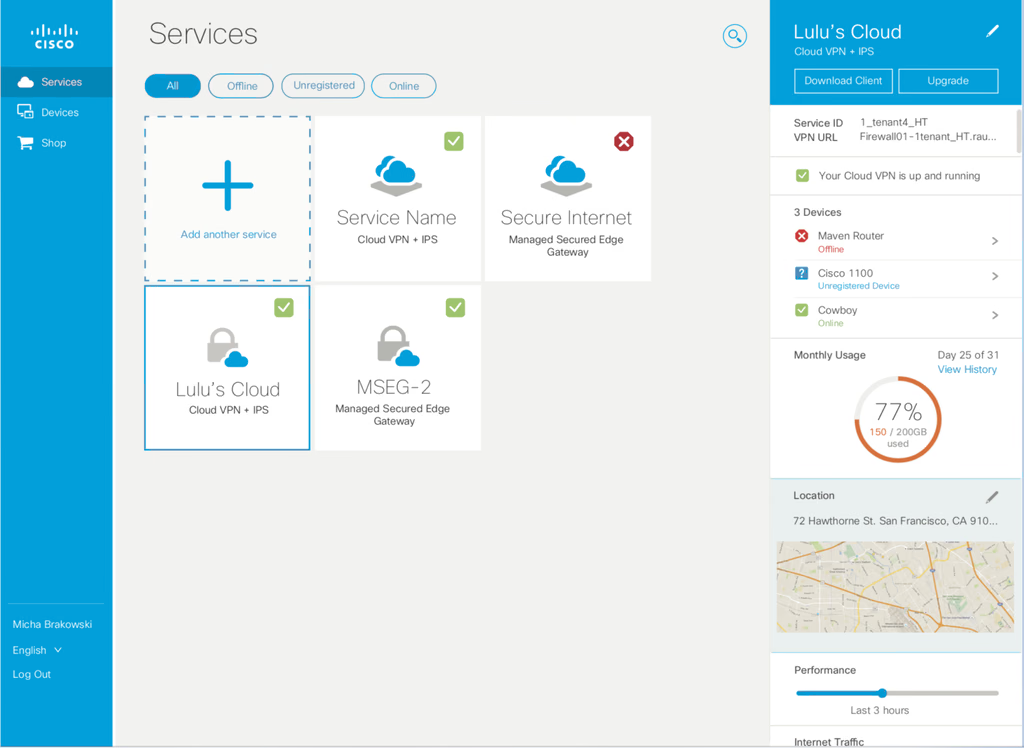
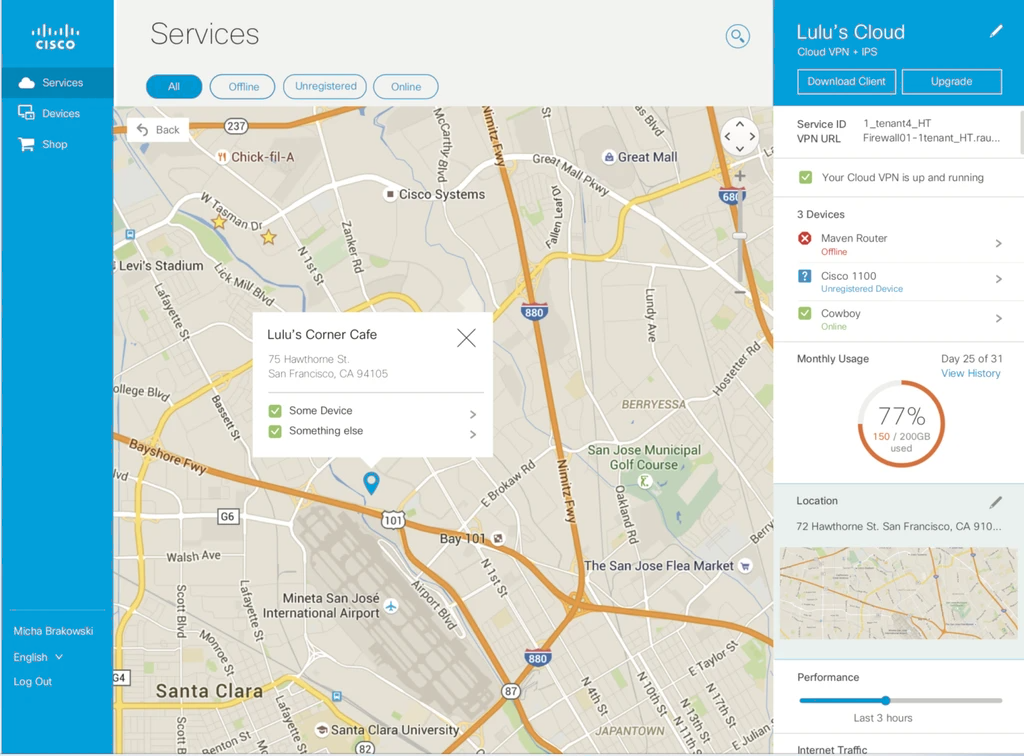
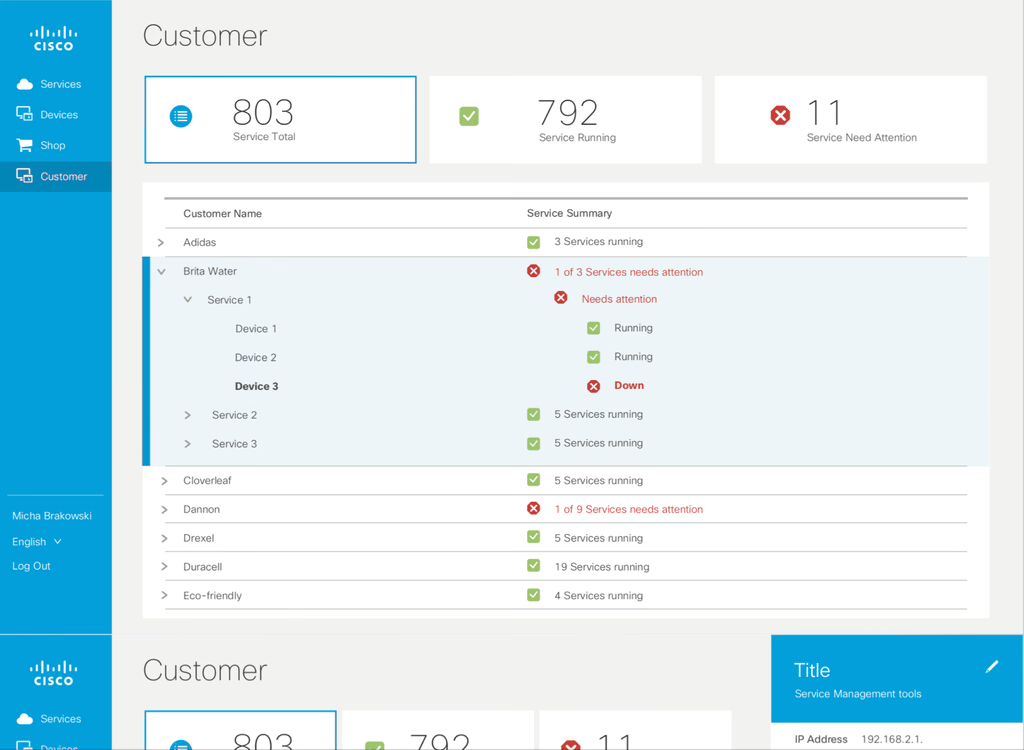
Cloud services overviewServices map viewCustomer service summary

Impact: From outdated to optimized

My design, product, and engineering partners shared the work company-wide, sparking strong interest in adopting the design system.

75%Reduction in assets
3×Increase in company-wide adoption

Reflection

Stronger togetherWe made up the quarter lost to the agency because we worked as one team, sharing feedback constantly and building on everyone’s perspective. The outcome came from that togetherness, not from any one person.
Build alongside engineeringOur technical visual designers wrote the CSS alongside engineering instead of handing off specs. As the designers, we knew exactly how each component should look and behave, so development moved much faster and QA time dropped significantly.